
Guitar Guides · Theory & Fretboard
Stop memorizing isolated boxes. Learn how scales connect across the entire neck — and use a generator to visualize any scale instantly.
🕑 9 min read
🎸 Beginner–Intermediate
📅 Updated June 2026
Most guitarists learn scales as isolated boxes — five shapes memorized separately, never connected. The result is playing that sounds “scale-ish”: technically correct but spatially trapped. Understanding how scales map across the full fretboard is what turns those boxes into a single, connected language.
Quick Answer
A guitar scale generator visualizes any scale across the fretboard in real time — showing every note, every position, and how the shapes connect. Instead of memorizing patterns from books, you see the scale on an interactive neck and hear it played back immediately.
Why fretboard mapping matters more than memorizing patterns
The traditional approach to learning scales is to memorize five CAGED positions and practice each one separately. This works — but it creates a mental model where scales live in boxes rather than across the neck.
The problem shows up the moment you try to improvise or play a melody: you reach the edge of one box and stop, because you don’t know where the scale continues. Fretboard mapping solves this by showing you the complete picture from the start.
When you can see — not just remember — where every note of a scale sits across all six strings and all positions, your playing becomes fluid. You stop thinking in boxes and start thinking in notes. That’s the difference between a guitarist who “knows their scales” and one who can actually use them.
The Real Goal
The goal of learning scales isn’t to recite patterns. It’s to know, without thinking, where the notes are — so you can focus entirely on what to play, not where to find it. A scale generator accelerates this by giving you instant visual feedback as you explore the neck.
The most useful guitar scales and when to use each one
There are hundreds of scales in music theory. In practice, five cover the vast majority of what guitarists need across all genres.
| Scale | Intervals | Sounds like | Use it for |
|---|---|---|---|
| Minor Pentatonic | 1 b3 4 5 b7 | Raw, bluesy, direct | Rock, blues, most lead guitar |
| Major Pentatonic | 1 2 3 5 6 | Bright, country, vocal | Country, pop, major key melodies |
| Natural Minor | 1 2 b3 4 5 b6 b7 | Dark, emotional, full | Metal, classical, emotional lead |
| Major Scale | 1 2 3 4 5 6 7 | Bright, resolved, complete | Pop, jazz, classical, theory foundation |
| Blues Scale | 1 b3 4 b5 5 b7 | Tense, expressive, gritty | Blues, rock, soul — the b5 adds tension |
| Dorian Mode | 1 2 b3 4 5 6 b7 | Minor but with brightness | Jazz, funk, modal rock |
Start with the minor pentatonic if you’re new to lead guitar — it has only five notes, forgives small errors, and sounds musical over almost any rock or blues backing track. Once you’ve internalized it across the full neck, add the blues scale (just one extra note) and then the natural minor.
How to read a fretboard scale diagram
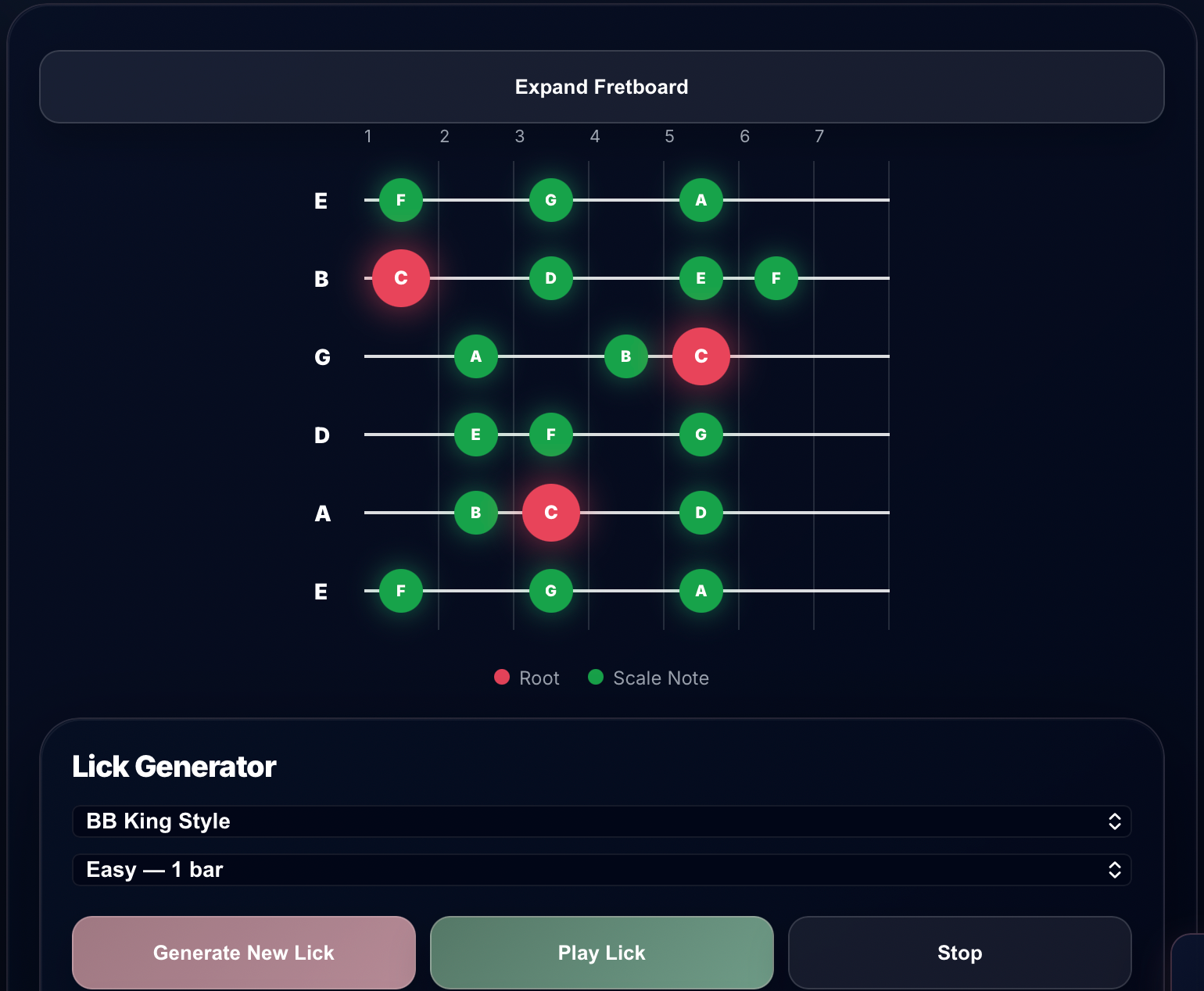
Before using a scale generator, it helps to understand what you’re looking at. A standard fretboard diagram shows the guitar neck from headstock to body — strings as horizontal lines, frets as vertical lines.
A Minor Pentatonic — Position 1 (Root on 6th string, fret 5)
5
6
7
8
9
E
A
C
B
E
G
G
D
E
D
A
C
A
E
G
E
A
C
Root note
Scale note
The highlighted circles are the notes you play. Root notes (in gold) mark the tonic — the home base of the scale. Scale notes (in green) are all the other notes in the scale. Empty frets are notes outside the scale — avoid them when you want the scale to sound “correct.”
How to use the Harniciuk Sonic Scale Generator
The Scale Generator PRO visualizes any scale across the full fretboard and plays it back so you can hear it immediately. Here’s the complete workflow:
01
Select your root note
Choose the key you want to work in — C, A, G, E, D, or any other root. This sets the tonal center. If you’re practicing over a backing track in A minor, select A. The fretboard will immediately show all notes of the selected scale in that key.
02
Choose your scale type
Select the scale — Major, Minor, Pentatonic, Blues, Dorian, and more. The fretboard updates instantly. Root notes appear in a distinct color so you always know where the tonal center is, regardless of which position you’re playing in.
03
Select a shape or view the full neck
Use the shape selector to see one position at a time (Root 6, Root 5, etc.) or expand the view to see the entire fretboard mapped out. The full-neck view is where the real learning happens — you start to see how positions overlap and connect across the neck.
04
Set BPM and play the scale
Set a playback tempo and click “Play Scale” to hear the scale played back note by note. This trains your ear to associate the visual pattern with the sound. Use “Loop Playback” to repeat it continuously while you follow along on your guitar.
05
Generate a lick with the Lick Generator
Once you’ve mapped the scale, use the built-in Lick Generator to hear how professional players use it. Choose a style (BB King, blues, rock) and a difficulty level, then click “Generate New Lick.” You can send the lick directly to the TAB Creator to see it written out and edit it.
Scale Generator PRO — harniciuksonic.com
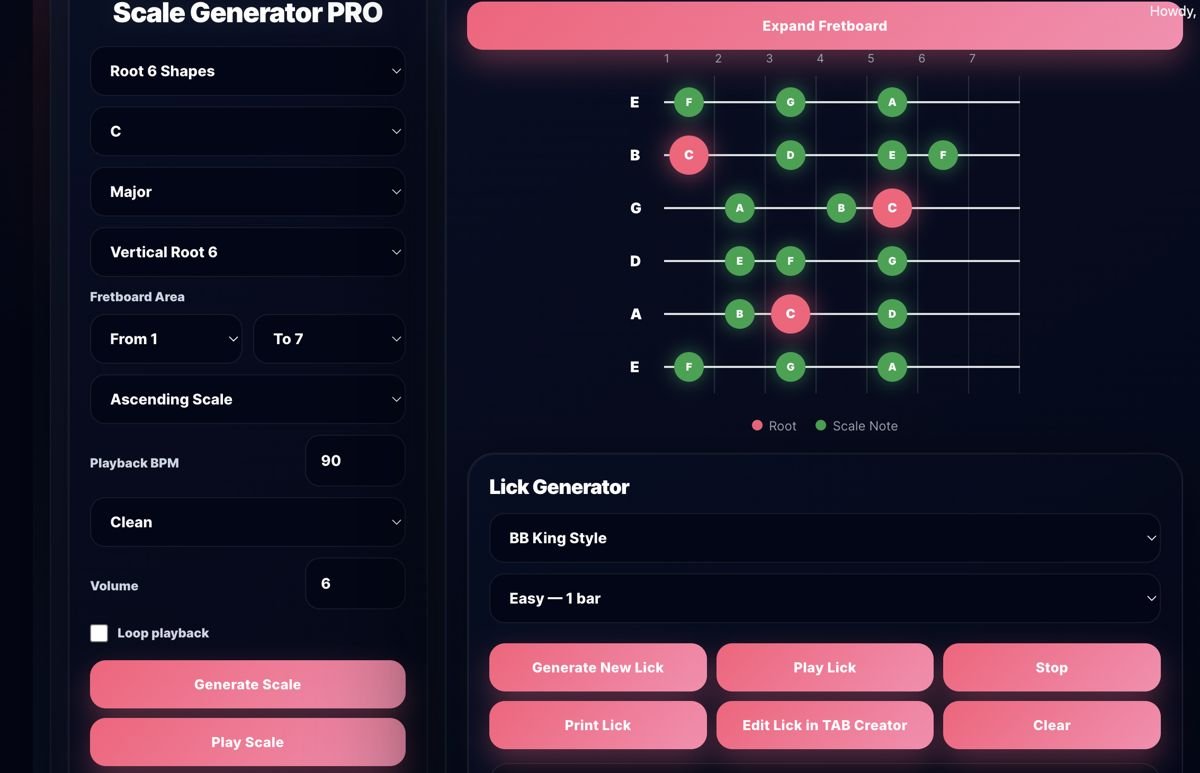
The Scale Generator PRO: fretboard map on the right, settings and Lick Generator below. Root notes in pink, scale notes in green.
Four ways to practice scales that actually build fretboard knowledge
Seeing the scale on a diagram is step one. These four practice methods turn that visual knowledge into physical fluency.
1. Three-note-per-string across the neck
Instead of playing box patterns, play three notes on every string and move horizontally. This forces you off the boxes and reveals how the scale moves across strings in any direction.
2. Root-to-root in all positions
Find the root note in every position on every string. Play up to the next root, then continue. This connects all five positions into one continuous map rather than five separate patterns.
3. Interval skipping
Instead of playing scale notes in order (1-2-3-4-5), skip every other note (1-3-5-7-2-4). This sounds more musical than a straight run and forces you to think about where notes are, not just the next step up or down.
4. Sing while you play
Hum or sing each note as you play it. This builds the connection between the visual pattern, the physical movement, and the sound — the three things that need to fuse together for a scale to become musical vocabulary.
Combine With a Backing Track
Generate a scale in A minor, then open the Backing Track Generator and set it to A minor blues at 80 BPM. Play only the notes shown on the scale map over the backing track. This is one of the most effective practice combinations available — you get visual guidance, rhythmic context, and immediate harmonic feedback all at once.
Free Tools
See the scale. Hear the scale. Play the scale.
Scale Generator PRO, Lick Generator, TAB Creator, and Backing Track Generator — all connected, all free.
Scale Generator PRO
Backing Track Generator
Guitar Tuner
Metronome
Frequently asked questions
What is a guitar scale generator?
A guitar scale generator is an interactive tool that displays any scale on a visual fretboard diagram. You select a root note and scale type, and the generator shows you exactly which frets to play on every string — with root notes highlighted separately so you always know where the tonal center is.
Which scale should a beginner learn first?
The minor pentatonic scale in A or E is the standard starting point for lead guitar. It has only five notes, sits naturally on the guitar neck, and sounds good over a wide range of rock and blues backing tracks. Once you’ve mapped it across the full neck, add the blues scale (one extra note) and then the natural minor.
How many scale positions do I need to know?
The CAGED system gives you five positions for any scale. You don’t need to memorize all five before you start using scales musically — start with one or two positions and expand from there. The more important skill is connecting the positions you know, not adding more isolated boxes.
What is the Lick Generator and how does it work?
The Lick Generator creates short musical phrases (licks) in a specific style using notes from the selected scale. You choose a style like BB King blues or rock and a difficulty level, and it generates a playable lick with audio playback. You can send it directly to the TAB Creator to see the notation and edit it.
Can I use the scale generator to learn modes?
Yes. The Scale Generator PRO includes all seven modes of the major scale (Dorian, Phrygian, Lydian, Mixolydian, Aeolian, Locrian) as well as the parent major scale. Select a mode, choose your root, and the fretboard shows the exact pattern — with playback so you can hear the characteristic sound of each mode immediately.
Map your scales now
Free, interactive, no sign-up. Select any scale, see it on the fretboard, hear it played back, generate a lick.
Open Scale Generator
Backing Tracks
Tune First
Related reading
Scales click into place faster once you see them inside real progressions — Minor Pentatonic Scale Positions for Guitar is a good next stop, and Guitar Chord Analyzer: Identify Any Chord and Build Progressions Online connects the scale to the chords underneath it.