
A good guitar chords app should do more than display shapes on a diagram — it should help you find the right voicing fast, hear it before you play it, and fit into how you actually practice. Here’s what to look for, and how Harniciuk Sonic’s own tools fit into that picture.
What a Guitar Chords App Should Actually Do
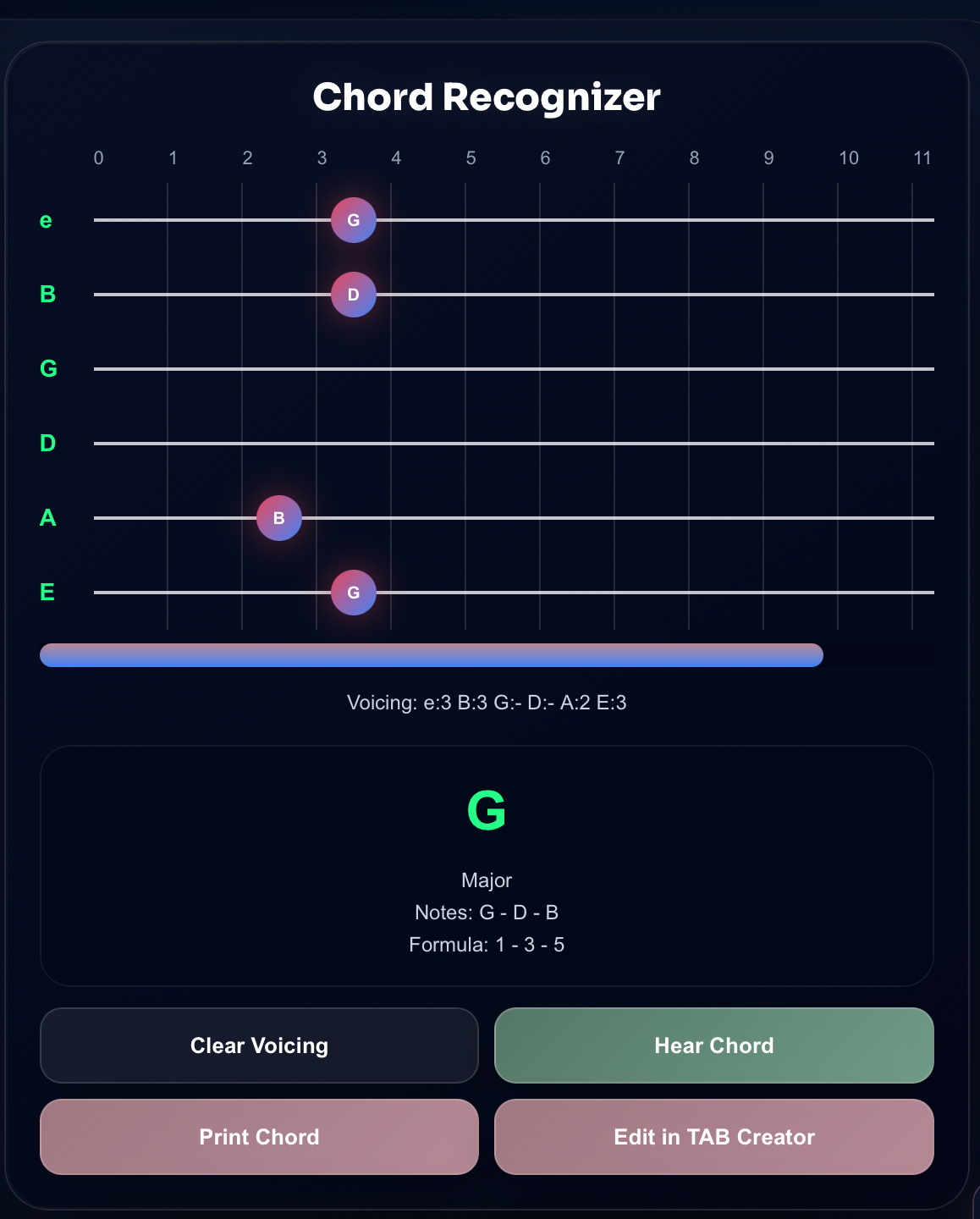
At minimum, a chords app should let you look up a chord by name and see one or more accurate fingerings for it. Beyond that baseline, the more useful apps also let you go the other direction: play or input notes and have the app tell you what chord you’re holding, which is where a tool like a chord analyzer or chord recognizer becomes genuinely useful instead of just a reference chart.
Key Features to Look For
- Comprehensive chord library: not just open major and minor chords, but barre shapes, suspended (sus2/sus4), extended (7th, 9th, 11th), and altered voicings.
- Multiple fingerings per chord: the same chord can usually be played in several positions on the neck; an app that shows only one shape limits how you can use it in a progression.
- Audio playback: hearing the chord before you commit to learning the shape helps you confirm it’s the sound you’re after.
- Transposition and capo support: the ability to shift a whole progression to a new key without re-learning every shape from scratch.
- Offline access: useful during lessons or practice sessions without relying on a signal.
How to Evaluate an App Before You Commit
Test any chords app against a song or progression you already know well. Check the fingering it suggests against a voicing you’re confident is correct, and see whether it offers alternate positions when the first one doesn’t fit your hand or the context. Apps that only show note names without the shape on a fretboard are harder to use while you’re actually holding a guitar, so look for a visual diagram alongside the note names.
Using Harniciuk Sonic’s Chord Tools
Want to identify a chord you just played? The Chord Analyzer listens through your microphone and breaks down the notes and voicing in real time, which is faster than scrolling through a static chart when you’re mid-practice.
For a full walkthrough of identifying chords and turning them into progressions, see How to Identify Guitar Chords and Create Chord Progressions.
Curious how single chords connect into full progressions? Common Guitar Chord Progressions Explained breaks that down, and Unlock Your Potential with Free Guitar Tools rounds up the rest of the free toolkit, including a tuner and metronome.
Common Mistakes
- Relying on one fingering only: you’ll hit walls in progressions that need a different position on the neck.
- Skipping the listen-back step: confirming a chord sounds right catches misreadings before they become a bad habit.
- Ignoring capo and transposition tools: re-learning a whole song in a new key by hand wastes practice time an app can save you.
Frequently Asked Questions
Do I need a paid app to learn chords properly? No. A free chords app with an accurate library and audio playback covers what most players need; paid tiers usually add extras like backing tracks or lesson plans rather than more accurate chords.
Can an app replace a teacher for learning chords? It can teach you shapes and confirm what you’re playing, but a teacher (or at least recorded feedback) is still the best way to catch technique issues like muted strings or poor hand position.
Practice smarter with Harniciuk Sonic’s free guitar tools — open Guitar Tuner and level up today.
Related tools and guides
- Analyze the notes in a chord with the free Guitar Chord Analyzer.
- Put those chords into context with common guitar chord progressions.