

Guitar Guides · Practice Tools
A backing track turns an isolated exercise into real music. Here’s how to build one for any style, key, or tempo — in under a minute.
🕑 8 min read
🎸 All levels
📅 Updated June 2026
Most guitarists practice in silence — just them and their instrument. That works for some things. But the moment you add a backing track, everything changes: your timing tightens, your phrasing becomes intentional, and playing starts to feel like music instead of exercise.
Quick Answer
A backing track gives your practice a harmonic and rhythmic context. It trains timing, phrasing, and ear simultaneously — things a metronome alone can’t do. You can generate one for any key, feel, and tempo in under 60 seconds with the Harniciuk Sonic Backing Track Generator.
Why backing tracks make you a better guitarist
Practicing scales and exercises in isolation has its place. But isolating technique from musical context creates a gap that shows up the moment you try to play with other people or over a recording.
⏱
Forces real timing
A metronome keeps you in time. A backing track makes you feel time — the difference between mechanical accuracy and musical groove.
🎶
Develops harmonic awareness
Playing over chords teaches you which notes sound tense, which resolve, and how to move between them musically.
🎤
Trains phrasing
When there’s a band behind you, you learn to start and end phrases in the right places — not just run scales from top to bottom.
🌍
Makes practice enjoyable
Playing over music feels like playing music. Enjoyable practice is consistent practice — and consistency is what actually builds skill.
Choosing the right backing track for what you’re practicing
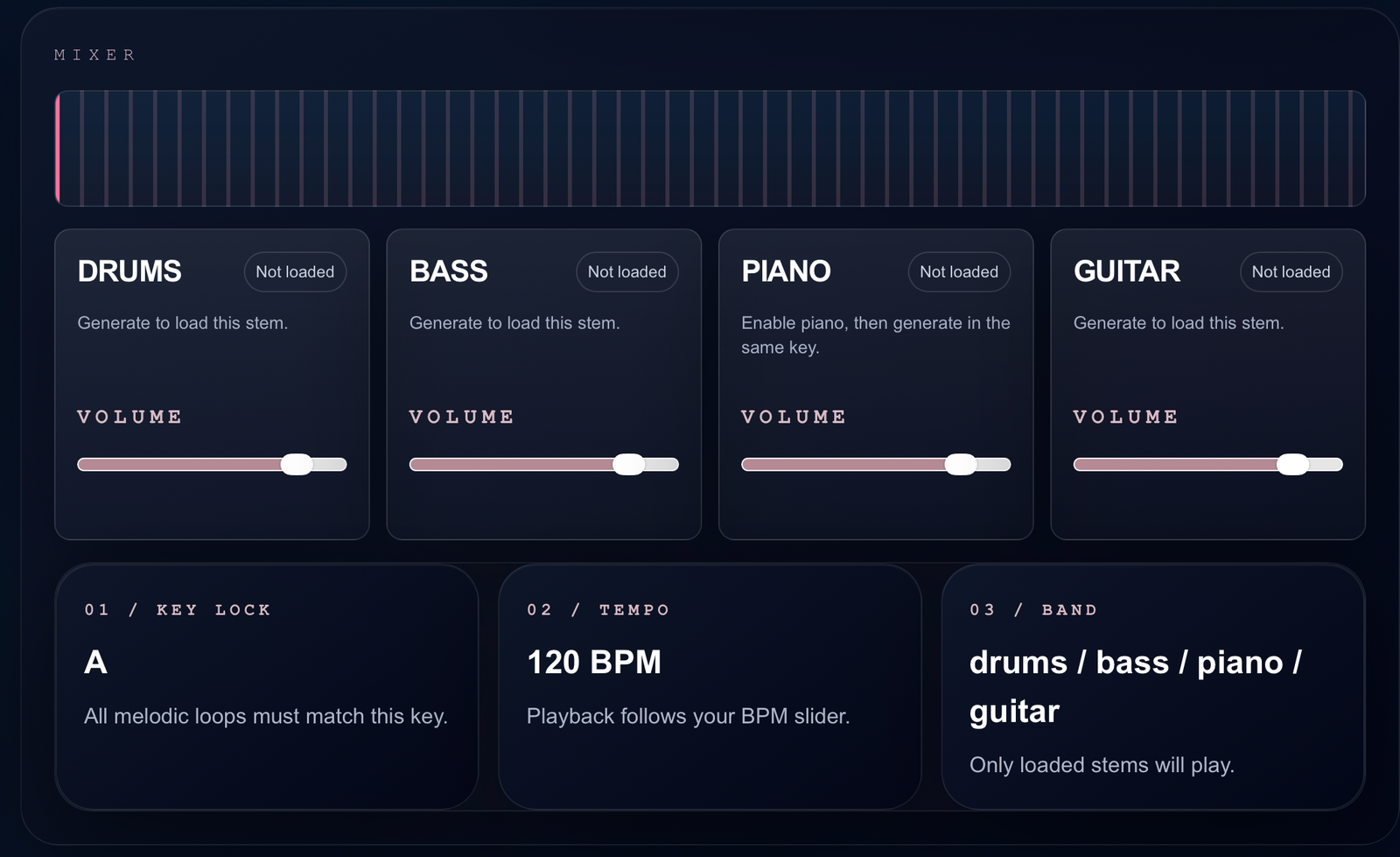
The most important settings when generating a backing track are key, feel, and tempo. Getting these right means the track serves your specific practice goal — not just any track in the background.
Key
Match the key to what you’re working on. If you’re practicing the A minor pentatonic scale, generate a track in A minor. If you’re working on barre chords in G, use G. The key locks every instrument in the track to that harmonic center, so everything you play will either sound in or out — and that’s exactly the feedback you need.
Feel / Genre
Different feels train different things. Blues develops your ear for call-and-response phrasing. Rock builds confidence at higher tempos. Jazz challenges your harmonic vocabulary. Use the feel that matches the style you want to develop — or deliberately practice your technique in an unfamiliar genre to break out of muscle-memory patterns.
| Feel | Best for practicing | Suggested tempo |
|---|---|---|
| 12 Bar Blues | Pentatonic phrasing, bends, call-and-response | 70–100 BPM |
| Rock | Power chords, alternate picking, riff development | 100–140 BPM |
| Funk | Rhythmic precision, muted strumming, groove | 90–110 BPM |
| Jazz | Chord tones, arpeggios, voice leading | 120–160 BPM |
| Ballad | Vibrato, dynamics, emotional phrasing | 60–80 BPM |
| Latin | Rhythmic complexity, syncopation, feel | 100–130 BPM |
Tempo
Start slower than you think you need to. A backing track at 80 BPM that you play over musically is worth more than a track at 120 BPM where you’re rushing or guessing. Increase tempo by 5 BPM increments once you’re consistently clean and musical at the current speed.
The 70% Rule
Whatever tempo you can play a lick cleanly in isolation, set the backing track to 70% of that. The added cognitive load of listening to the track, staying in time, and making musical decisions will slow your effective performance tempo. Start conservative and build up.
How to use the Harniciuk Sonic Backing Track Generator
The generator creates a full band backing track — drums, bass, piano, and guitar — directly in your browser. No download, no account, no cost. Here’s the full workflow:
01
Session Settings
Set your key
Select the key you’re practicing in from the dropdown. This locks all melodic instruments to that harmonic center. If you’re working on the pentatonic scale in E, select E. If you’re practicing chord transitions in C, select C.
02
Session Settings
Choose your feel
Select the genre or feel that matches your practice goal. 12 Bar Blues is a great starting point for most lead playing — the chord structure is predictable enough to focus on your phrasing rather than chasing the changes.
03
Session Settings
Set the BPM
Use the BPM slider to set your tempo. The number on the right updates in real time. During playback, use the arrow keys to adjust tempo on the fly without stopping — useful when a track feels slightly too fast or too slow mid-session.
04
Band
Select your instruments
Choose which instruments you want in your band — Drums, Bass, Piano, and Guitar are all available. For most practice, Drums + Bass is the essential foundation. Add Piano for harmonic context when working on scales or improvisation.
05
Mixer
Generate and balance the mix
Click “Generate Track” to load all stems. Once loaded, use the individual volume sliders in the Mixer to balance the instruments. Bring drums down slightly if they’re overwhelming — you want to hear yourself play.
06
Playback
Play and practice
Hit Play — or press Space — and start playing. The track loops automatically. Use the arrow keys to bump the tempo up or down as you warm up and progress through your session. Stop with the Stop button or Space bar.
Backing Track Generator — harniciuksonic.com
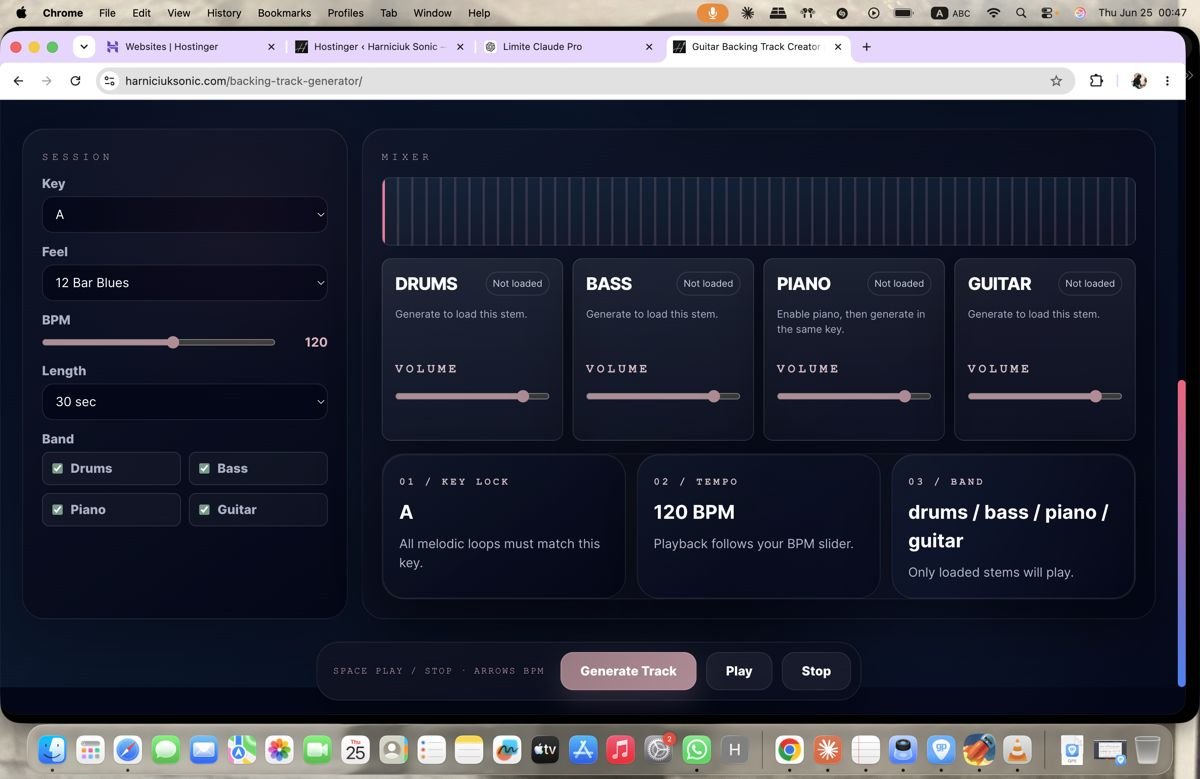
The generator interface: session settings on the left, mixer on the right. Everything you need in one screen.
Practice drills to use with a backing track
A backing track is only as useful as what you do over it. Here are four structured drills that work with any feel or key.
The One-Scale Drill
Beginner
Choose one scale position — just one box of the pentatonic, or one octave of a major scale. Play only notes from that position for the entire track. Don’t move to other positions. The constraint forces you to find melody within a small range rather than running up and down out of habit.
Key: Any
Feel: Blues or Rock
BPM: 70–90
Band: Drums + Bass
The Call and Response Drill
Intermediate
Play a two-bar phrase, then leave two bars completely silent. Use the silence to listen to the backing track and plan your next phrase. This trains phrasing discipline — one of the most neglected aspects of lead guitar. Professional players use space as much as notes.
Key: A or E
Feel: 12 Bar Blues
BPM: 80–100
Band: Drums + Bass + Piano
The Chord Tone Drill
Intermediate
Instead of running scales, target only the root, third, and fifth of each chord as it changes. This forces you to listen to the harmony and land on strong notes at the right moment — the foundation of melodic guitar playing across every genre.
Key: G or C
Feel: Rock or Ballad
BPM: 70–90
Band: Drums + Bass + Piano
The Tempo Ladder
All levels
Start at a comfortable tempo and play a lick or progression cleanly for one full loop. Then press the up arrow to add 5 BPM and repeat. Continue until you make a mistake — then drop back 5 BPM and play it clean once more before finishing. This method builds speed and exposes the exact tempo where technique breaks down.
Key: Any
Feel: Any
BPM: Start 60–80, climb
Band: Drums + Bass
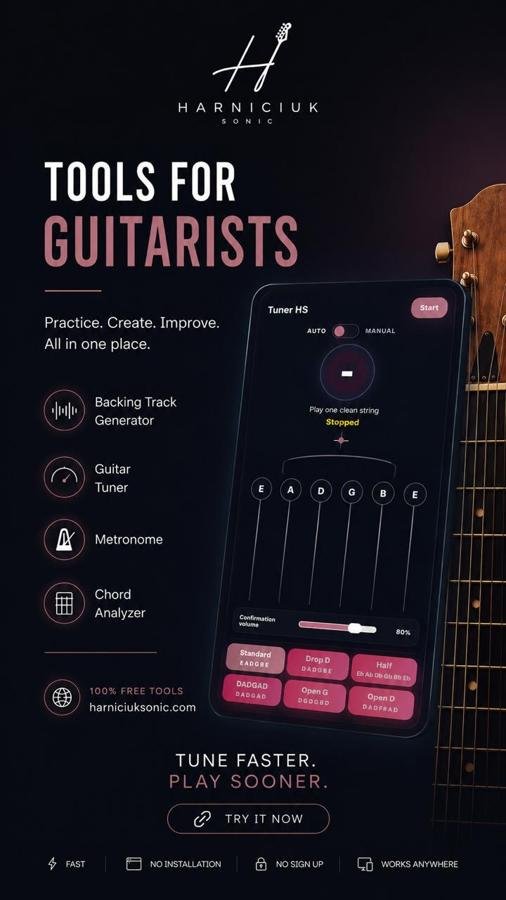
Free Practice Tools
Your whole practice setup in one browser tab
Backing track generator, tuner, metronome, and chord analyzer — all free, no sign-up, no download.
Backing Track Generator
Guitar Tuner
Metronome
Chord Analyzer
Frequently asked questions
What’s the difference between a backing track and a metronome?
A metronome gives you a click — a steady pulse that keeps you in time. A backing track gives you a full musical context: rhythm, harmony, and feel. A metronome tells you when to play. A backing track tells you what to play against. Both are useful, but backing tracks develop musicality in a way a click alone cannot.
Should I practice with drums only, or a full band?
Start with drums and bass for most technical work — it gives you rhythm and harmonic foundation without too much information competing for your attention. Add piano when you want harmonic context for scale or improvisation practice. Use the full band when you want to simulate a real playing situation.
What key should a beginner use for backing tracks?
A minor or E minor are the most beginner-friendly keys for lead guitar because the minor pentatonic scale in those keys sits comfortably on the guitar. For rhythm and chord work, G major and C major are ideal starting points because the open chord shapes are most natural there.
Can I use a backing track while learning a specific song?
Yes — but match the key and tempo to the song. If you’re learning a song in D at 110 BPM, generate a track in D at 90–100 BPM (slightly slower) to practice the parts cleanly before bringing it up to speed. This is far more effective than trying to keep up with the original recording before you’re ready.
How long should I practice with a backing track?
10–15 minutes of focused backing track practice is enough for a single session. Longer isn’t better — after 15 minutes without a specific goal, most players start noodling rather than practicing. Keep a clear drill or target for each backing track session and stop when you’ve achieved it.
Generate your first backing track
Free, instant, no sign-up. Pick a key, set your tempo, and start playing over a full band in under 60 seconds.
Open Generator
Tune First
Metronome
Related reading
Once you have a track built, Backing Tracks & Jamming: Your Ultimate FAQ Guide covers how to get the most out of it, and A 10-Minute Daily Guitar Practice Routine shows where it fits into a daily session.
For song-specific rehearsal, pair the track with Lyrics Follow so the current lyric and upcoming cue stay readable while you play.