Understanding amp settings and tone shaping is crucial for guitarists aiming to achieve their desired sound. Whether you’re looking to replicate the iconic tones of your favorite artists or develop your unique sound, knowing how to adjust your amp settings can make all the difference. In this guide, we’ll break down the essentials of amp settings and tone shaping, providing practical steps and tips to enhance your guitar playing experience, from basic EQ theory to amp-specific quirks and genre presets you can copy today.
Understanding Amp Settings and Tone Shaping
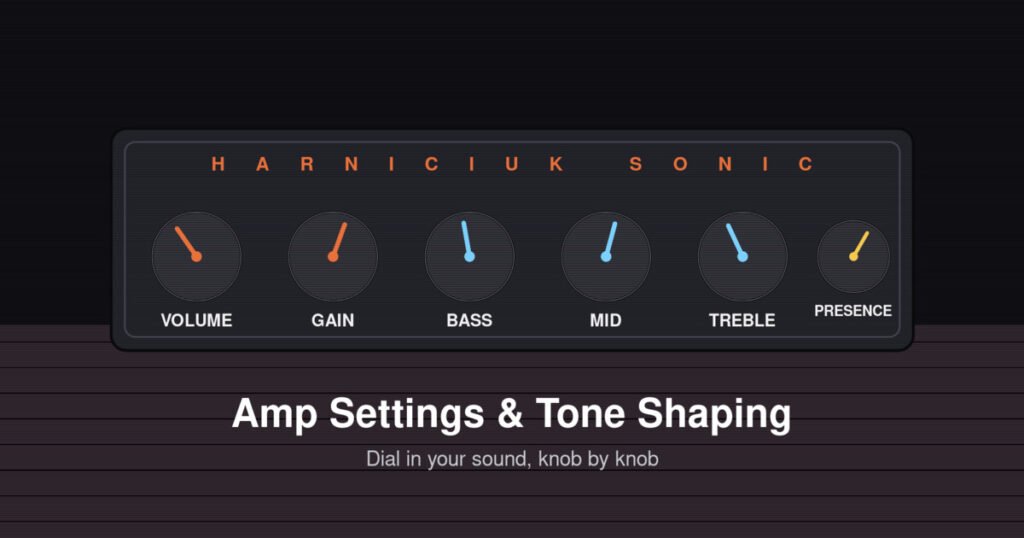
Amp settings and tone shaping involve adjusting various controls on your amplifier and guitar to achieve a specific sound. The primary controls on most amps include volume, gain, bass, mid, treble, and sometimes presence. Each of these settings plays a role in shaping your tone. Volume controls the overall output level, while gain affects the distortion level. Bass, mid, and treble adjust the low, midrange, and high frequencies, respectively. Presence can add brightness to your sound. By experimenting with these settings, you can find the right balance to suit your style and the genre you’re playing. If you want to go deeper on the underlying theory, audio equalization is a well-documented field worth reading up on. Tone shaping is an art, requiring practice and patience to master.
It helps to think of your amp’s EQ as a filter, not a magic switch. The bass control usually shapes frequencies around 80-250 Hz, mids sit in the 500 Hz-2 kHz range where most of a guitar’s character lives, and treble covers everything above roughly 4 kHz. Because mids carry so much of what makes an electric guitar sound like a guitar, small mid adjustments tend to have a bigger effect on your tone than big bass or treble sweeps. Volume and gain are also worth separating in your head: volume is how loud the clean signal is, while gain (sometimes labeled ‘drive’ or ‘overdrive’) determines how hard you’re pushing the preamp into distortion. On amps with a master volume, you can run high gain at a bedroom-friendly volume; on single-volume amps, you generally need to turn up the whole amp to get natural tube breakup.
Amp Types and How They Shape Your Tone
Not all amps respond to the same settings the same way, so it’s worth knowing what you’re working with. Tube amps tend to reward higher gain and volume settings with a natural, dynamic breakup that responds to your picking attack — dig in harder and you get more grit. Solid-state amps are generally more consistent and cleaner at low volumes, and their gain channels can sound more compressed or ‘buzzy’ if pushed too hard, so it often pays to keep gain a notch lower than you would on a tube amp and lean on your guitar’s volume knob for dynamics. Modeling amps and amp-in-a-box pedals simulate all of the above digitally; their ‘gain’ and ‘presence’ controls usually mirror the physical amps they’re modeling, but small changes in the power amp or cabinet simulation settings can matter as much as the EQ knobs themselves. Whatever you’re playing through, spend five minutes with the amp on clean and gain settings alone before you touch any pedals — you want your baseline tone to already sound good before you add effects on top of it.
Step-by-Step Workflow for Amp Settings
Follow this workflow whenever you’re dialing in a new amp, a new room, or a new guitar. Working through it in order stops you from chasing your tail by adjusting five things at once.
1. Set Your Amp to Clean
Begin with a clean slate by setting your amp to a clean channel. This allows you to hear the pure tone of your guitar without added distortion. This is also the best time to zero out your EQ — set bass, mid, and treble to 12 o’clock (or noon) so you’re not fighting old settings left over from the last time you played.
2. Adjust the EQ Controls
Start with all EQ controls (bass, mid, treble) set to 12 o’clock. From here, adjust each control to find the balance that best suits your playing style. Increase bass for a fuller sound, or add treble for more brightness. Move one knob at a time and play the same riff or chord progression after each change so you can actually hear the difference — adjusting two controls at once makes it much harder to tell what’s helping and what isn’t.
3. Introduce Gain Carefully
Gradually increase the gain to introduce distortion, keeping in mind that too much can muddy your sound. Aim for clarity and definition. A good rule of thumb: add gain until the tone starts to feel ‘alive’ and touch-sensitive, then back off slightly. If chords start to sound like a wall of noise instead of individual notes, you’ve gone too far.
4. Experiment with Presence
If your amp has a presence control, use it to add a subtle brightness to your tone, enhancing the overall clarity. Presence mostly affects the top end coming through your power amp and speaker, so it’s especially useful for cutting through a mix live — just go easy, since too much presence can turn into harshness or fizz, especially on smaller speakers.
5. Fine-Tune Based on Environment
Remember that your tone may sound different in various environments. Make minor adjustments based on the acoustics of the room you’re playing in. A carpeted bedroom absorbs high frequencies and can make your tone sound duller than it really is, while a tiled bathroom or empty room adds reflections that exaggerate treble and presence. If you’re recording, trust your monitors or headphones over the room; if you’re playing live, ask someone in the audience how it actually sounds out front.
Recommended Settings for Guitars
For a classic rock sound, try setting your bass to 5, mids to 6, and treble to 7, with the gain around 4. If you’re aiming for a blues tone, increase the mids to 7 and lower the gain to 3 for a cleaner sound. Metal players might prefer bass at 6, mids at 3, treble at 8, with the gain cranked to 7 or 8 for that heavy distortion.
For jazz, aim for a warm, rounded tone: bass around 6, mids at 6-7, treble closer to 4, with gain barely above zero — most of your tone should come from your fingers and a neck-position pickup, not amp distortion. Country and Nashville-style clean tones usually sit with bass around 4-5 (too much low end gets boomy), mids around 5, and treble pushed to 7-8 for that twangy sparkle, with gain kept very low. For ambient or indie textures, keep gain low to moderate, scoop mids slightly to around 4, and lean on your pedalboard’s reverb and delay rather than the amp’s gain to create atmosphere. These numbers are starting points, not rules — use them as a baseline and adjust by ear for your specific amp and guitar.
Building a Signal Chain: Amp Settings and Pedals
Your amp settings don’t exist in isolation once you start adding pedals. Overdrive and distortion pedals interact directly with your amp’s own gain stage, so if your amp is already running hot, stacking a boost pedal on top can quickly turn into mud. A common approach is to keep your amp’s own gain relatively conservative — enough for a pleasant edge-of-breakup tone — and use pedals to push it further when you need more drive, rather than maxing out the amp’s gain and adding pedals on top of that. Where you place your amp’s tone controls in the chain also matters: EQ pedals placed before the amp shape what hits the preamp, while EQ pedals in an effects loop (after the preamp, before the power amp) mostly shape overall tone balance without changing how hard you’re driving the front end. If you’re still figuring out which pedals to run and in what order, our guide to mastering effects and pedalboard building walks through signal chain order, buffer placement, and how to avoid common tone-sucking mistakes.
Common Mistakes and How to Avoid Them
One common mistake is setting the gain too high, which can lead to a muddy tone. Instead, start with lower gain and increase gradually. Another mistake is neglecting the midrange frequencies; don’t underestimate the power of mids in creating a full, rich sound. Lastly, avoid extreme EQ settings that can make your tone sound unnatural. Aim for balance and adjust based on the context of your playing environment.
A fourth common mistake is chasing tone through your amp’s EQ instead of your guitar’s pickup selector and volume knob — rolling your guitar’s volume down slightly can clean up a driven tone far more naturally than pulling gain from the amp. Fifth, many players dial in their settings alone in a quiet room and then wonder why the tone disappears in a full band mix; whenever possible, set your tone while playing along with a track or with your bandmates so you’re solving for how you’ll actually use it, not just how it sounds in isolation.
Troubleshooting Common Tone Problems
If your tone sounds thin or weak, check that your mids aren’t scooped too far and make sure you’re not accidentally running on the amp’s bright or ‘input 2’ channel, which can cut low end. If your tone sounds muddy or undefined, the usual suspects are gain set too high, bass turned up too far, or mids scooped out entirely — pull back gain first, since it’s the most common culprit. Unwanted buzzing or fizz, especially on high-gain settings, often comes from too much treble or presence combined with a small speaker that can’t handle the extra top end; try rolling back presence before you assume it’s a cable or pickup problem. And if your volume knob feels like it does nothing until the last quarter turn, that’s usually a taper issue with the guitar’s pot rather than the amp — worth knowing so you don’t waste time re-EQing the amp to fix a guitar problem.
Frequently Asked Questions
What is the best amp setting for beginners? Start with a clean setting and slowly introduce EQ adjustments. Focus on learning how each control affects your tone.
How can I reduce feedback? Lowering the gain and moving away from the amp can help reduce unwanted feedback.
Can I use the same settings for different genres? While some settings can be versatile, each genre often requires specific adjustments to achieve the desired tone.
Should I match my amp settings to recordings I like? It’s a good starting point, but remember recorded tones are also shaped by mic placement and studio EQ — use a reference track to get close, then trust your ears.
Do amp settings matter with a modeling amp or plugin? Yes — the same principles of gain staging and EQ balance still apply, even though the technology is different.
Final Practical Takeaway
Amp settings and tone shaping are essential skills for any guitarist. By understanding your amp’s controls — and how they interact with your guitar, your pedals, and the room you’re playing in — you can craft a tone that complements your playing style. Remember to experiment, as finding the perfect tone is a personal journey that evolves with your musical growth. For more tools to enhance your practice, visit the Harniciuk Sonic tools page.